
Looking for Materials? Try the Trashswag App
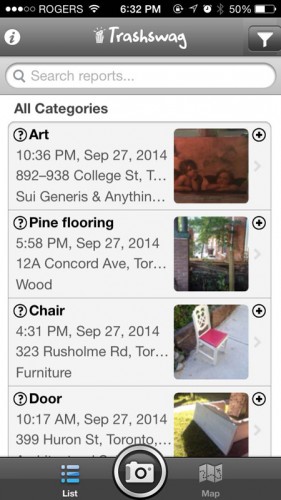
Seeing posts in list view
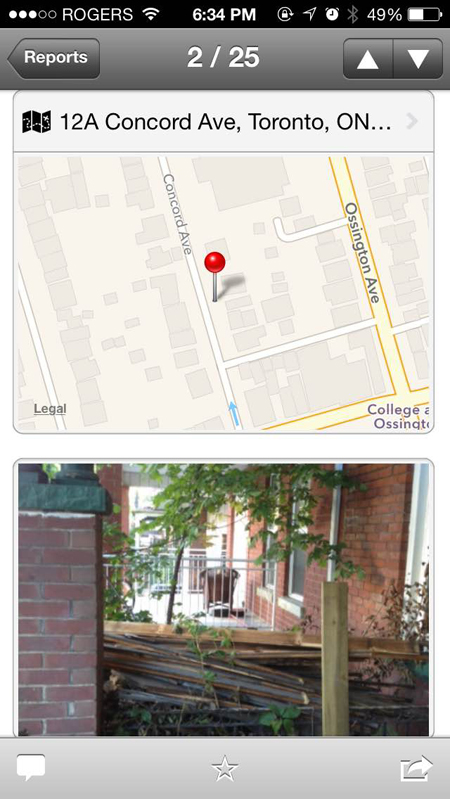
Last Saturday in Toronto at the YIMBY (yes in my backyard) Festival, I discovered Trashswag, a great resource for architecture students and anyone in search of free materials. Trashswag, one of over seventy grassroots organizations at the festival, is a platform for issuing curb alerts to the community about salvageable trash including wood, doors, furniture and other building materials laying on the street.The concept is simple: see the trash, take a photo, upload onto the app.
About a year ago, founder Gavin Cameron started the platform in Toronto as a hobby, which has gained traction in the media and has expanded to serve Montreal. The idea came to him when he was taking photos of salvageable wood around the city and texting them to his friends from his phone. He is hoping to spread the idea to the architectural community starting with the University of Waterloo School of Architecture in Cambridge, Ontario.
The app is available for download on iOS, Android and Windows. The interface is simple. Once you’re in the app, create a new report by pressing the camera button. On the “Add Report” page, you will be able to enter a title, description and select a category for the item. The date, time and location of the item appears automatically. At the very bottom of the page, there’s a link to post a photo.
After approval from the administrator comes through, the post will become public and searchable on both the website and the app. Through the website, you can also subscribe to email alerts for the type of materials you are looking for.
Items are picked up on a first come, first serve basis. As a courtesy, you may want to contact the administrator to delete the post, if you have taken the item.
If you walk by a useful pile of trash on your way to school, take a picture and post it to start populating Trashswag with reports for sitings in Cambridge.